CWG-002 Goal Loads Next Level
Difficulty: ⭐ Beginner
Platform: Godot 4.7
👷🏽♀️ What you’ll build#
This pattern creates a reusable goal scene for the end of a level.
When the player reaches the goal, the game changes to another scene. You can place the same goal scene into different levels and choose a different destination scene for each one.
📢 Before you start#
This pattern assumes:
- You have a 2D game with a player that can move around.
- You have a level scene, where you have instantiated your player.
- Your player has a
CollisionShape2D. - Your player is in the
"player"group. - You have created another level or scene that you want to open.
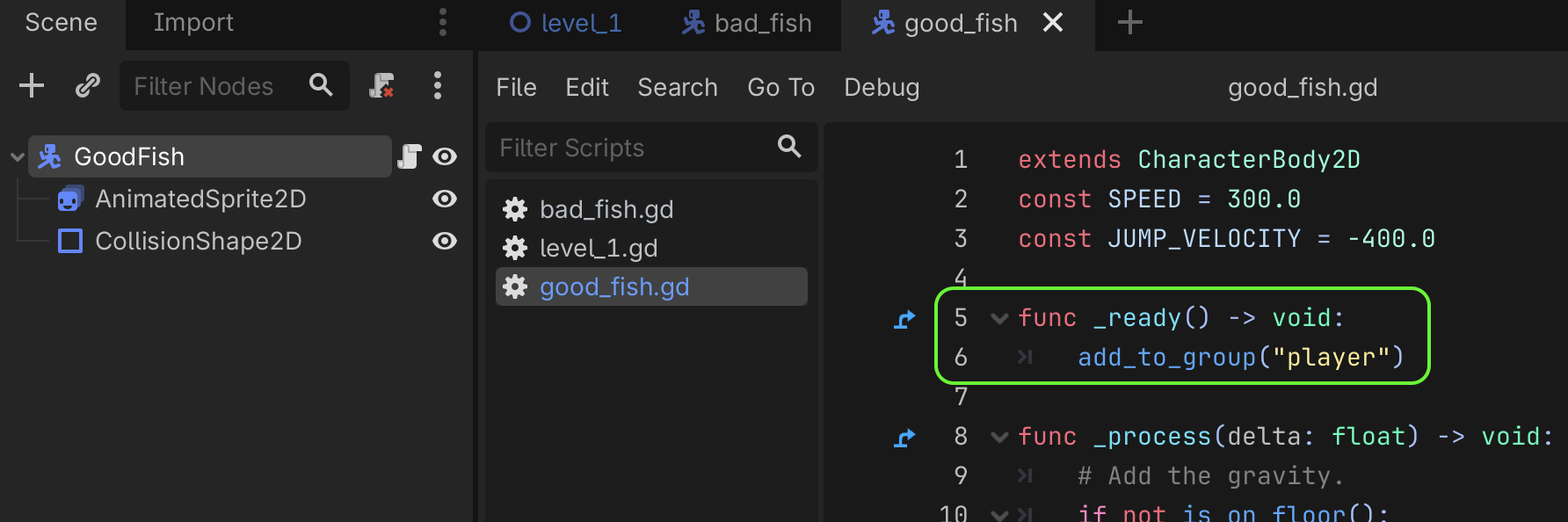
To add your player to the "player" group:
- Select the root node of your player scene.
- Open the script of your player by clicking the script icon next to the root node.
- Find the function called
_readynear the top of the script. - If there is no
_readyfunction, then add a new function like this:func _ready() -> void: - in the
_readyfunction, add this line:add_to_group("player")
Your player script should now look something like this:
🌱 Goal Scene Tree#
Create a new 2D scene with an Area2D as its root node, and change it’s name to “Goal” or something similar.
Add a CollisionsShape2D to it.
If you want this goal to be visible (something like a door, flag, portal, or treasure chest) then add a Sprite2D or AnimatedSprite2D to it.
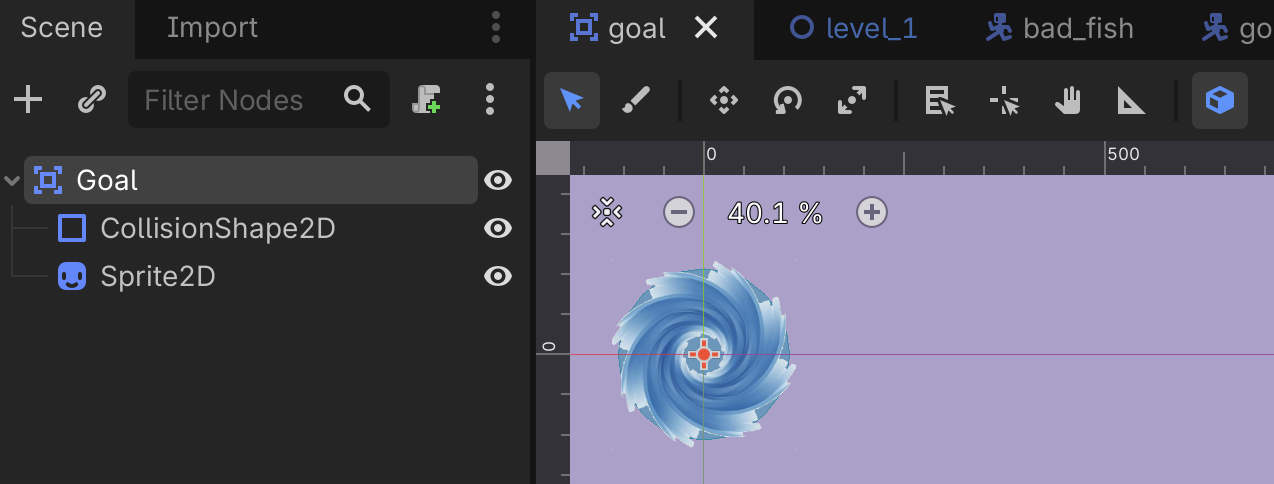
Your goal scene should look something like this:
Goal (Area2D)
├── Sprite2D or AnimatedSprite2D
└── CollisionShape2D
The sprite shows the player where the goal is.
The CollisionShape2D decides how close the player must get before reaching the goal.
Save the scene as something like:
goal.tscn
Here’s what my new Goal scene looks like now:
📜 Goal Script#
Attach a new script to the root node of your new Goal scene, then replace the script contents with the code below.
extends Area2D

# The scene that should open when the player reaches this goal.
@export var next_level: PackedScene

# Prevents the goal from being activated more than once.
var changing_level := false


func _ready() -> void:
	body_entered.connect(_on_body_entered)


func _on_body_entered(body: Node2D) -> void:
	# Ignore enemies, moving objects and anything else that is not the player.
	if not body.is_in_group("player"):
		return

	# Ignore another collision if the level is already changing.
	if changing_level:
		return

	# Do not continue if no destination scene has been selected.
	if next_level == null:
		push_warning("No next level has been selected for this goal.")
		return

	changing_level = true

	# Change scenes after the current collision event has finished.
	get_tree().change_scene_to_packed.call_deferred(next_level)
🗺️ Add the goal to a level#
Open your level scene, then drag goal.tscn from the FileSystem dock into the level.
Move the goal to wherever you want the level to finish.
With the goal selected, find the Next Level property in the Inspector. Drag the next level scene from the FileSystem dock into this property.
Here’s what my level1 scene looks like with the Goal added and Next Level set:
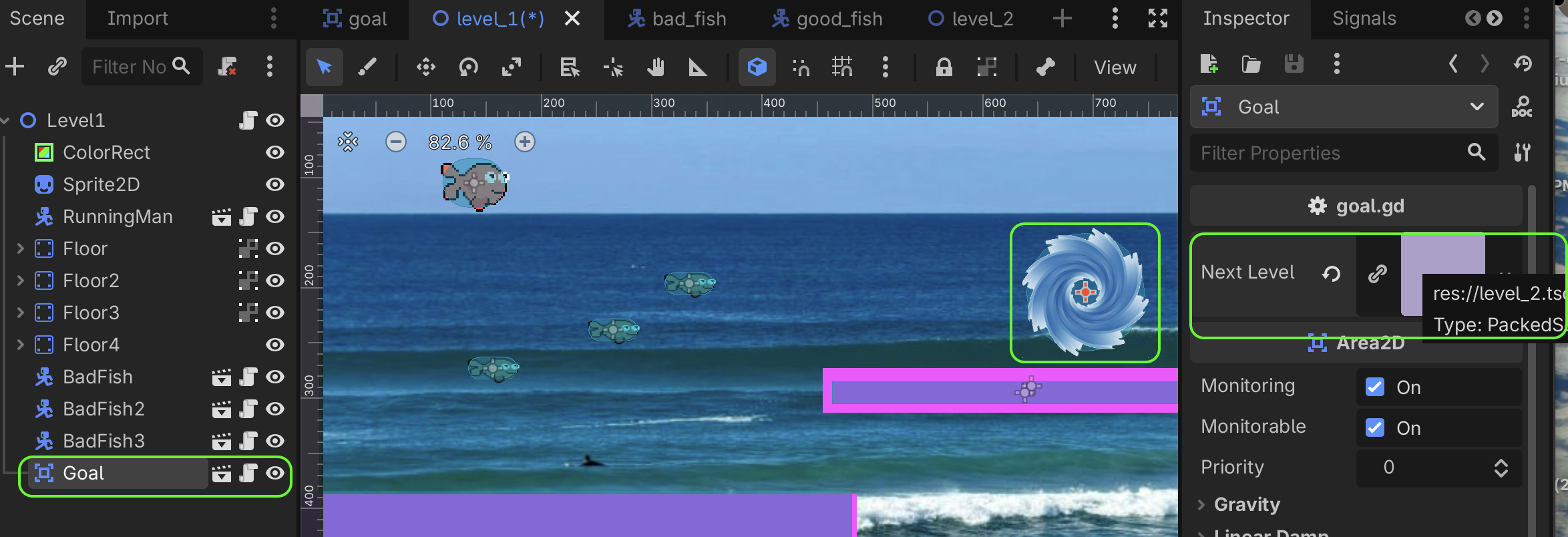
When the player touches the goal, Godot will now open level_2.tscn.
💡 How it works#
An Area2D can detect when another physics body enters its collision shape.
When something enters the goal:
- The script checks whether it belongs to the
"player"group. - It checks that a next level has been selected.
- It prevents the goal from activating twice.
- It asks the SceneTree to change to the selected scene.
Using an exported PackedScene means the goal script does not need to know the filename of the next level. You choose the destination separately for each goal instance in the Inspector.
🧪 Things to try#
Once your goal works, you may like to experiment with these ideas:
- Animate the goal so it is easy to notice.
- Play a sound before changing levels.
- Add particles to create a portal effect.
- Show a Level Complete message first.
- Wait briefly before opening the next scene.
- Require the player to collect a key before the goal works.
- Send the player to a victory screen after the final level.
🐞 Common problems#
Nothing happens when the player touches the goal#
Check that:
- The goal has a
CollisionShape2D. - The player’s collision shape overlaps the goal’s collision shape.
- The player is in the
"player"group. - The goal’s collision mask can detect the player’s collision layer.
The warning says no next level was selected#
Select the goal instance in your level and assign a scene to its Next Level property in the Inspector.
The wrong object activates the goal#
Only the player should be in the "player" group. Check the groups assigned to your enemies and other moving objects.
The next level immediately sends the player somewhere else#
The player may be appearing inside another goal or trigger area. Move the player or the goal in the new level so their collision shapes do not overlap when the scene begins.
🙋 Need help?
Every programmer gets stuck sometimes — even professional game developers!
1. Experiment
Try changing something, then run your game again. Small changes are a great way to learn.
print a variable to Godot's Output panel, using print(variablename)
2. Ask someone nearby
Ask a friend, the person next to you, or a parent. Sometimes simply explaining the problem helps you solve it!
3. Ask AI or search online
Tools like ChatGPT and Google can often help. Be specific, include any error messages, and paste your code if you can.
4. Ask the CodeWarriors team
Email questions@laudwords.com
If possible, include:
- what you're trying to build
- what isn't working
- your code
- any error messages
- a screenshot of your game